
0
INQUIRY
enquiry form:
Inquiry Content:

You have no items to require
-
 English
-
Polski
-
فارسی
-
Dansk
-
Deutsch
-
Русский язык
-
Français
-
қазақ
-
한국어
-
Nederlands
-
Hrvatska
-
Latina
-
norwegian
-
Português
-
日本語
-
Svenska
-
Srpski@ item Spelling dictionary
-
Slovenská
-
slovenščina
-
Türkçe
-
УкраїнськаName
-
o'zbek
-
Español
-
Magyar
-
Արմենյան
-
Italiano
-
IndonesiaName
-
Tiếng Việt
-
Íris
-
Български
-
ÍslandName
-
suomi
-
Čeština
-
română
-
Malay
-
ภาษาไทย
-
Ελληνικά
 English
 Polski
 فارسی
فارسی
 Dansk
Dansk
 Deutsch
 Русский язык
 Français
 қазақ
қазақ
 한국어
한국어
 Nederlands
 Hrvatska
 Latina
 norwegian
 Português
 日本語
日本語
 Svenska
 Srpski@ item Spelling dictionary
 Slovenská
 slovenščina
 Türkçe
 УкраїнськаName
 o'zbek
 Español
 Magyar
 Արմենյան
 Italiano
 IndonesiaName
 Tiếng Việt
 Íris
Íris
 Български
 ÍslandName
 suomi
suomi
 Čeština
 română
 Malay
Malay
 ภาษาไทย
 Ελληνικά
What Is a Rugged Windows Tablet? Complete Industrial Tablet Guide
2026-07-09 00:26:54
Click:
“
Discover what a rugged Windows tablet is, how industrial tablets support field operations, and why businesses choose durable Windows devices for surveying, construction, mining, logistics, and professional data collection. Learn key features and selection tips.
”
What Is a Rugged Windows Tablet?
Rugged Windows tablets are purpose-built industrial computers designed to operate reliably in demanding environments. They combine the flexibility of Windows with military-grade durability, GNSS positioning, and enterprise connectivity, making them ideal for surveying, construction, mining, logistics, and utility field operations.
Explore XM1330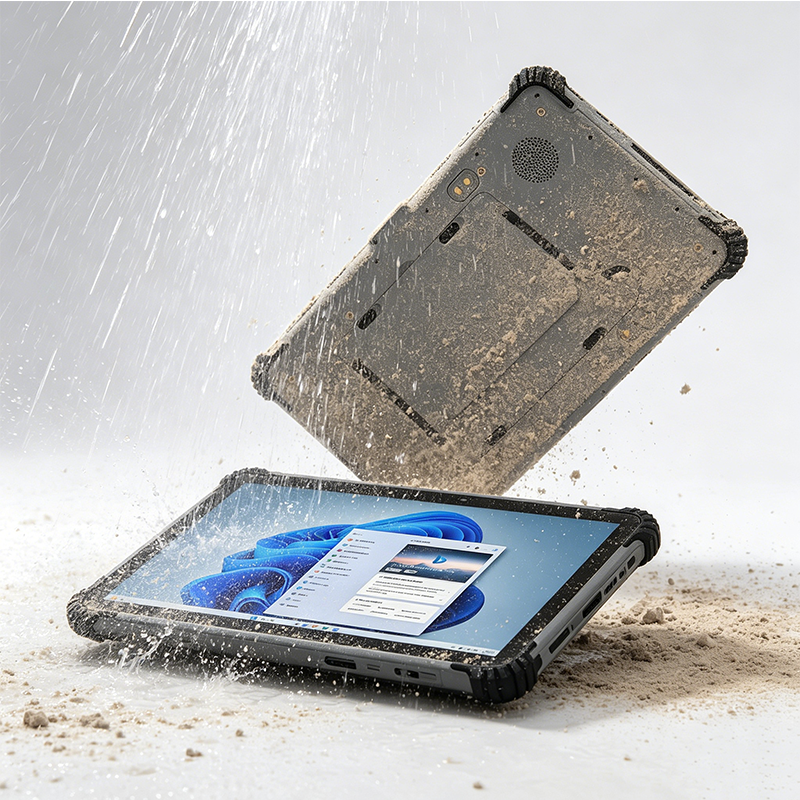
What Makes a Tablet Rugged?
A rugged Windows tablet is engineered with three core pillars to withstand industrial challenges.
◈
IP Protection
Waterproof and dustproof sealing (IP65/IP67) ensures operation in rain, dust, and mud.
▼
Military Drop Test
Reinforced housing and shock-absorbing corners protect against drops from 1.2m or higher.
◆
Industrial Connectivity
RS232, USB, Ethernet, and expansion ports for connecting sensors and field equipment.
Why Use a Rugged Windows Tablet?
Compared with consumer tablets, rugged Windows tablets offer decisive advantages for industrial teams.
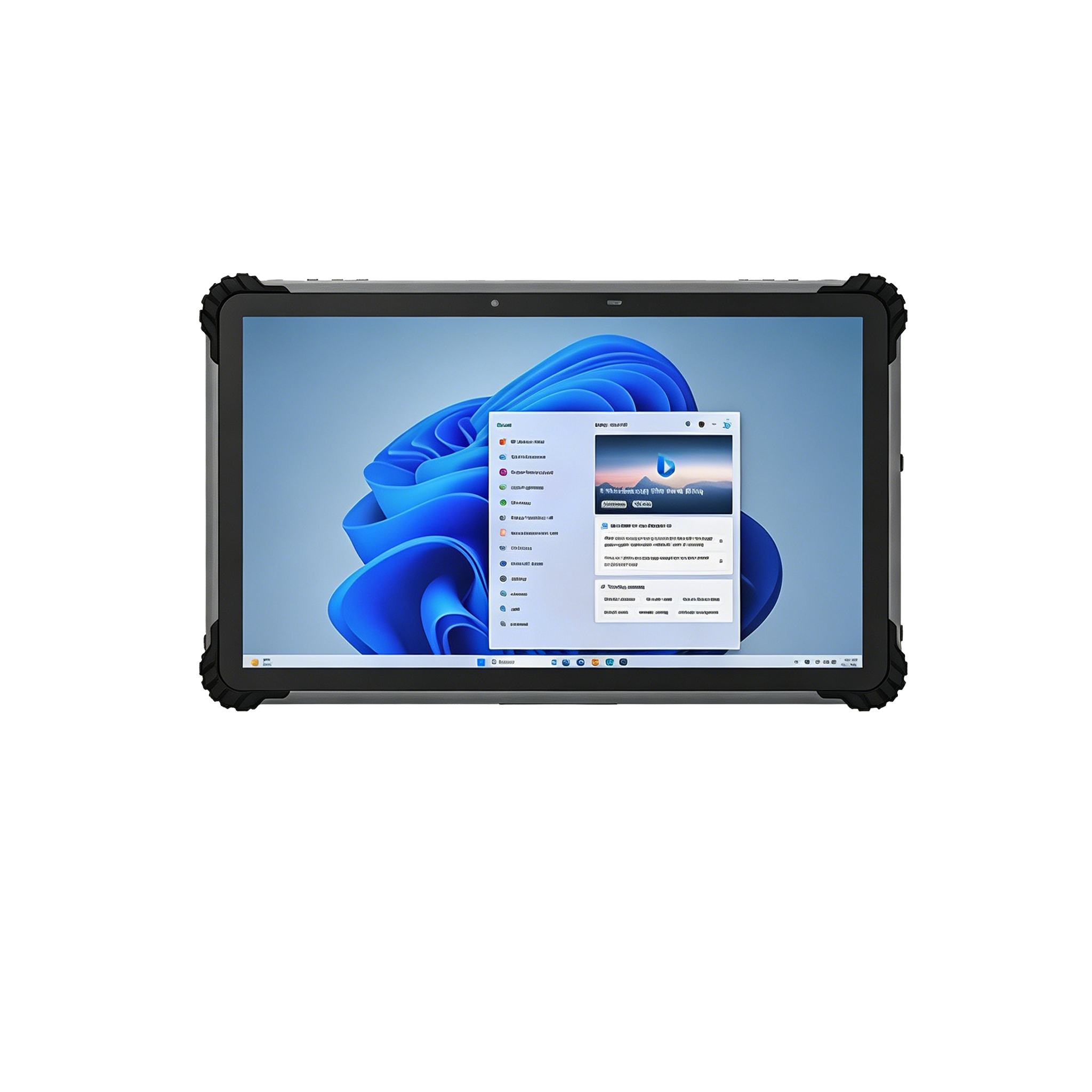
- ✔ Longer lifecycle and lower total cost of ownership
- ✔ Better reliability in harsh temperatures and vibrations
- ✔ Professional software compatibility (GIS, CAD, ERP)
- ✔ Industrial interfaces for sensors and peripherals
- ✔ Outdoor-readable displays with glove touch support
Key Features of Industrial Windows Tablets
Built for the field, these features make rugged Windows tablets the choice of professionals.
Rugged Protection
IP65+ rating, drop resistance, sealed connectors, reinforced housing.
Windows Platform
Full Windows 10/11 Pro compatibility for GIS, CAD, and enterprise software.
GNSS Positioning
Integrated GPS, BeiDou, GLONASS, Galileo for accurate field data collection.
Long Battery Life
Large-capacity batteries support full-day field operations without frequent recharging.
Outdoor Display
High-brightness, anti-glare screens with glove-touch support for sunlight visibility.
Industrial Interfaces
RS232, USB, Ethernet, and expansion options for connecting professional equipment.
Industrial Applications
Rugged Windows tablets are deployed across demanding industries for data collection and management.
Surveying & Mapping
GNSS positioning, GIS data collection, field mapping, and coordinate management.
Construction
Site inspection, digital drawings, project management, and equipment monitoring.
Mining Operations
Dust, vibration, and temperature-resistant devices for operational data collection.
Logistics & Warehouse
Inventory management, barcode scanning, vehicle tracking, and warehouse operations.
Emergency Response
Reliable communication and data access in disaster relief and public safety operations.
Utilities & Infrastructure
Pipeline inspection, power grid maintenance, asset management, and field reporting.
How to Choose a Rugged Windows Tablet
Four key steps to select the right industrial tablet for your field operations.
1
Protection Level
Check IP rating, drop resistance, and operating temperature range.
2
Computing Performance
Choose processor, RAM, and storage based on your software needs.
3
Connectivity
Evaluate Wi-Fi, 4G/5G, Bluetooth, GNSS, and Ethernet options.
4
Industry Match
Match features to your specific use case: surveying, logistics, etc.
XM1330 Rugged Windows Tablet
Industrial-grade tablet with Windows OS, GNSS positioning, and field data collection capabilities.
XM1330
Rugged Windows Tablet with Beidou GPS & Data Collection
Designed for surveying, construction, mining, and field inspection. The XM1330 combines Windows 10 Pro, Beidou/GPS/GNSS, and a rugged IP65-rated chassis for reliable outdoor operation.
● Windows 10 Pro● Intel N5100● GNSS (GPS/BeiDou)● IP65 / 1.2m drop● 4G LTE / Wi-Fi / BT● RS232 / USB / Ethernet
View XM1330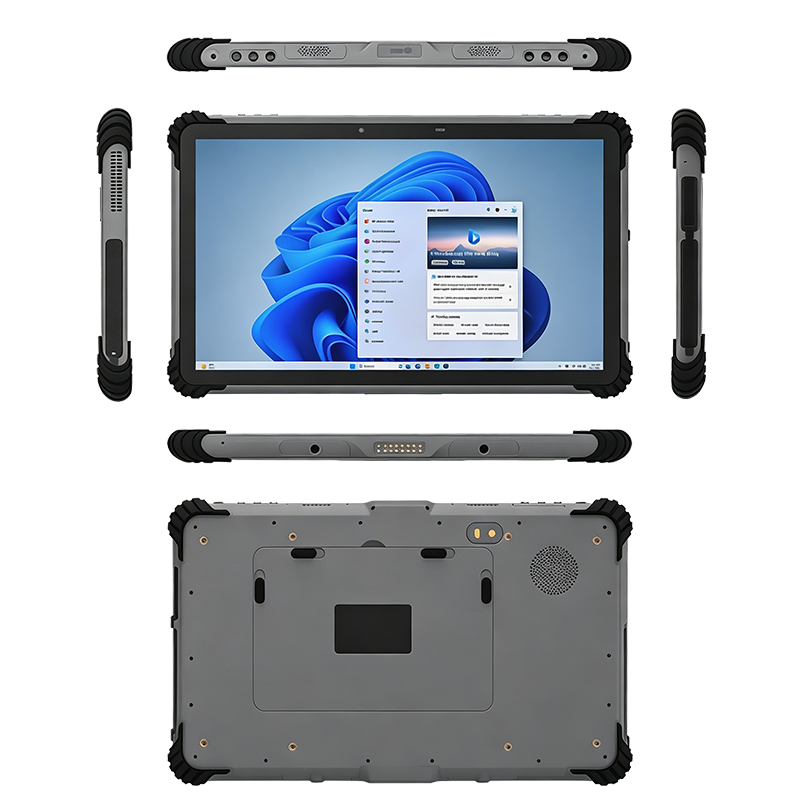
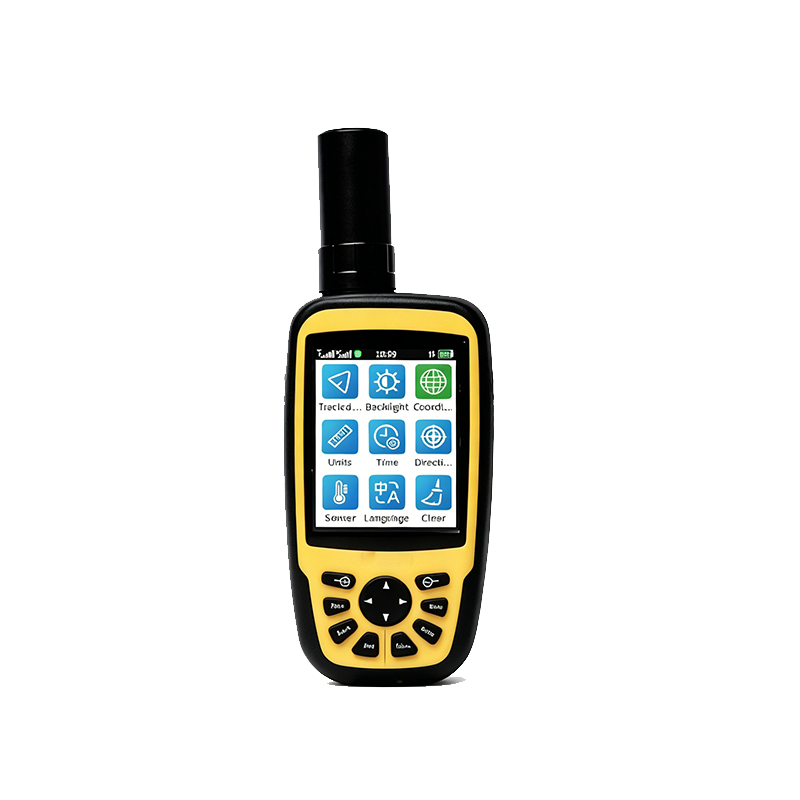
Explore More Industrial Devices
Frequently Asked Questions
What is a rugged Windows tablet used for?
A rugged Windows tablet is used for industrial applications including surveying, construction, mining, inspection, logistics, and field data collection. It runs professional Windows-based software in harsh environments.
Are rugged Windows tablets better than normal tablets?
For industrial environments, yes. Rugged Windows tablets provide better durability, connectivity, and professional software compatibility compared to consumer tablets.
Can a rugged Windows tablet support GNSS?
Yes. Many industrial Windows tablets support GPS, BeiDou, GLONASS, and Galileo positioning technologies for mapping, surveying, and asset tracking applications.
Why choose Windows for an industrial tablet?
Windows provides broad compatibility with professional enterprise software, GIS applications, CAD tools, and existing industrial systems, making it the preferred choice for many industries.
What protection rating should I look for?
Look for at least IP65 for dust and water protection, and drop resistance of 1.2m or higher. For more extreme environments, IP67 or IP68 may be required.
How long does a rugged Windows tablet battery last?
Most rugged Windows tablets offer 8–12 hours of battery life under typical field usage, with some models supporting hot-swappable batteries for extended shifts.
Can I run CAD software on a rugged Windows tablet?
Yes, many rugged Windows tablets are equipped with Intel Core processors and sufficient RAM to run AutoCAD, SolidWorks, and other CAD applications efficiently.
What is the difference between IP65 and IP67?
IP65 is dust-tight and protected against water jets, while IP67 is dust-tight and protected against temporary immersion in water up to 1 meter for 30 minutes.
Related Articles
Ready for Your Industrial Deployment?
Starmax provides rugged Windows tablets for surveying, construction, mining, and field data collection. Get expert advice and a tailored solution.
Author:
Starmax International Technology Co., Limited








文章推荐
RTK GNSS Technology Explained: How Real-Time Kinematic Positioning Works & Applications
High-Precision Handheld GNSS Locator with RTK Centimeter-Level Positioning and Cloud Data Sync
What Is RTK GNSS? A Complete Guide to Centimeter-Level Positioning Technology
Smart Mining Communication & High-Precision Positioning Solutions
Why LTE Push-to-Talk Radios Are Replacing Traditional Walkie Talkies in Industrial Operations
Follow Us

点击右上角
分享给朋友吧
Copyright © 2015-2035 MySite Ltd. All Rights Reserved.
 Service1
 Service2
 Service3